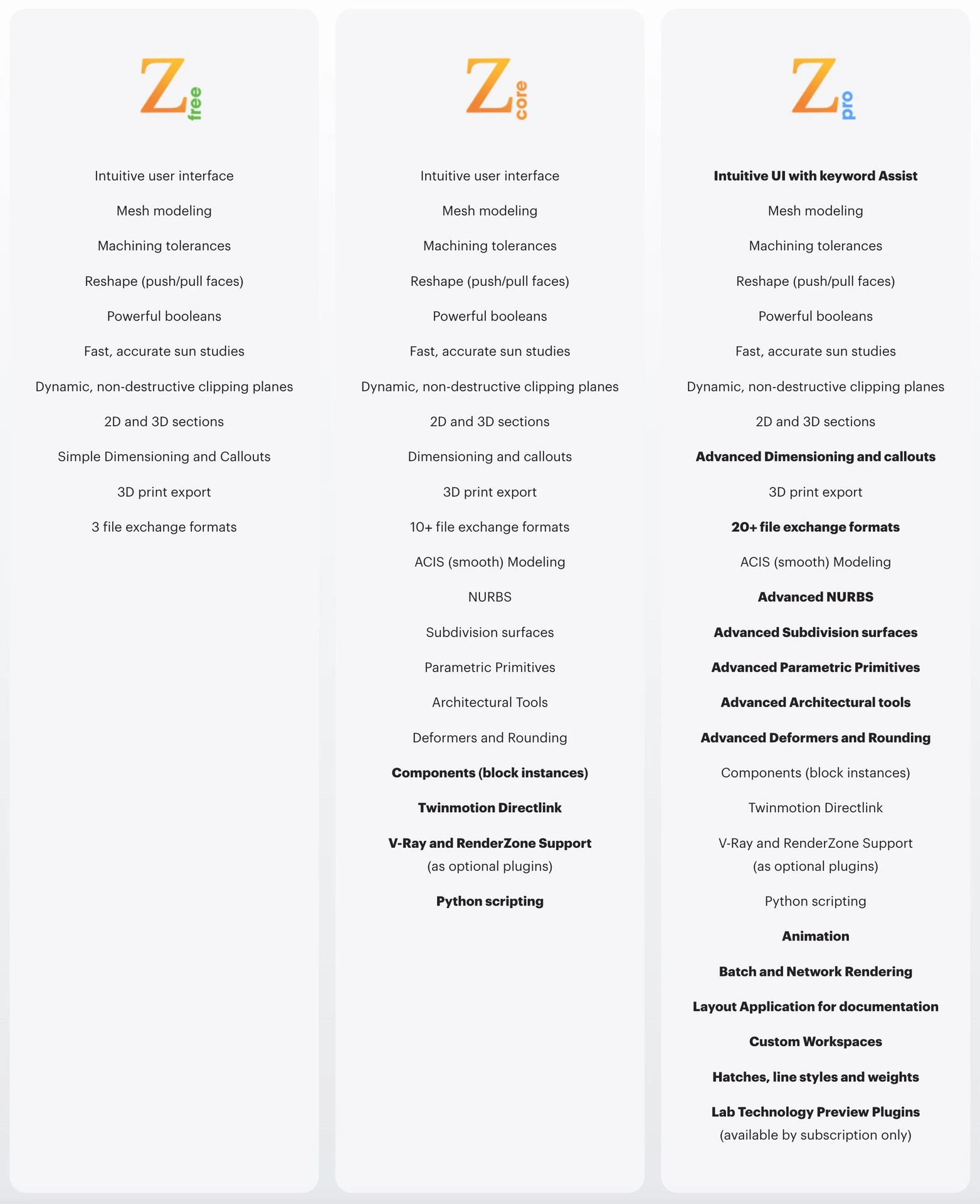
V-Ray is a physically-based lighting, shading, and rendering toolkit. It has a wide array of features and lighting to accommodate any scene and produce top quality renders. V-Ray also employs GPU rendering to produce high quality results very quickly. Additionally, it allows you to view your scene's rendering in real-time so that you can adjust lighting and materials quickly and easily without having to do a full production render for small edits. V-Ray’s materials can produce very high quality results very quickly.
V-Ray is integrated throughout the formZ User Interface. A suite of palettes containing tools and settings is accessible from the palettes menu. The materials interface is integrated with the formZ Material editor and the lights interface is integrated with the formZ light parameters palette.
V-Ray for formZ Feature Highlights:
- Powerful hybrid rendering - You can render using CPUs or GPUs or a combination of both. Dedicated ray-tracing hardware within NVIDIA's RTX class of GPUs to speed up production rendering on Windows
- Material library - over 550 realistic physical based materials, such as glass, coated plastics or metals, wood, stone, etc.
- V-Ray Grass and fur - Realistic grass, fabrics and carpet now possible with V-Ray Fur.
- Denoiser - With V-Ray's new denoising technology, you can automatically eliminate noise and cut render times by up to 50%!
- Light Mix - Light Mix allows you to adjust lighting levels and color without re-rendering
- Aerial perspective - Add realistic atmosphere and depth to your renders with V-Ray's new Aerial perspective controls.
- Virtual Reality - Verify designs at 1:1 scale in popular VR headsets like Google Cardboard and Samsung Gear VR.
- Cutaways with Clipper - Render sections and cutaways with ease using the V-Ray Clipper.
- Powerful light calculations - the V-Ray Adaptive Lights algorithm will speed renders up to seven times faster on some scenes.
- V-Ray Frame Buffer - Fine-tune your render's color, exposure, and more directly in V-Ray's frame buffer.
- Integrated Material Editing - Fine-tune your render's color, exposure, and more directly in V-Ray's frame buffer
New in V-Ray 7:
V-Ray for formZ 7 is based on the Chaos V-Ray 7 rendering engine. In addition to the improvements listed below, there are number of internal improvements in the V-Ray core that make V-Ray for formZ 7 an even better rendering solution.
Faster V-Ray GPU and caustics
Experience faster time to first pixel, resulting in quicker rendering and improved visual quality. V-Ray GPU now supports caustics rendering, enabling realistic reflections and refractions.
macOS Metal GPU support!
V-Ray now delivers up to 3× faster performance on Apple's M-series processors when using Metal GPU rendering. The latest chips - such as the M3 and M4 - show especially strong results, with additional speed gains on systems equipped with more GPU cores and memory. In benchmark tests with the same scenes, we observed over 5× faster rendering compared to V-Ray 6 on CPU. Your results may vary.
V-Ray settings improvements
Save and restore of V-Ray Settings allows commonly used V-Ray settings to be saved and used in other projects. New Ambient Occlusion and Back to Beauty render elements. New Check for Update helps keep your software up to date.
V-Ray Material improvements
Copy/Paste Texture Settings between materials. UV Texture Randomization settings are a new way to vary the regular texture patternes to reduce tiling or craete entitley new effects.
V-Ray Lights
Finite Dome Light adds ground to dome lighting, with controls for radius, projection height, and ground blending.
V-Ray Frame Buffer (VFB)
Frame buffer improvemenst include Color Correction Filters, Freeform Render Region, Vignette Layer, and Light Mix for Emissive Materials.