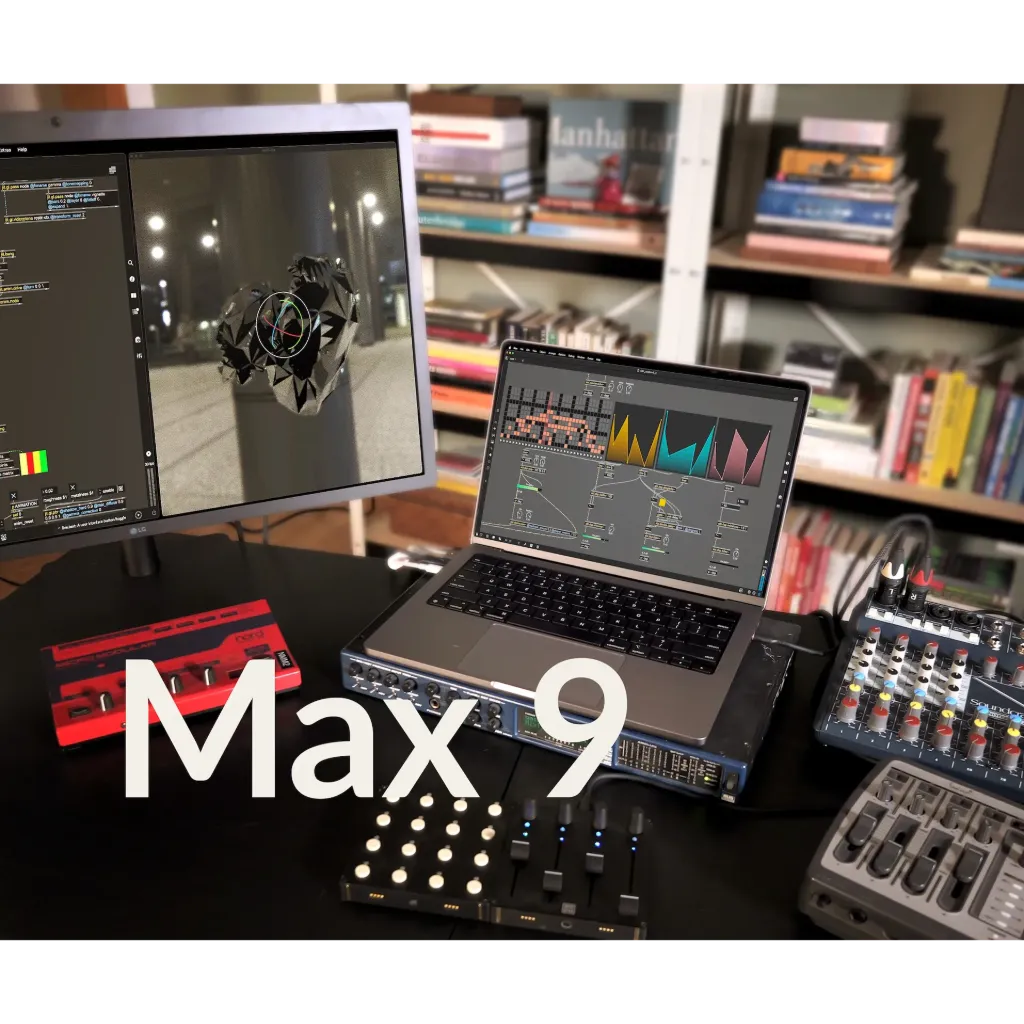
Max is an interactive, visual patching environment for musicians, artists, and anyone who loves creating, inventing, or prototyping their own unique software.
What is Max?
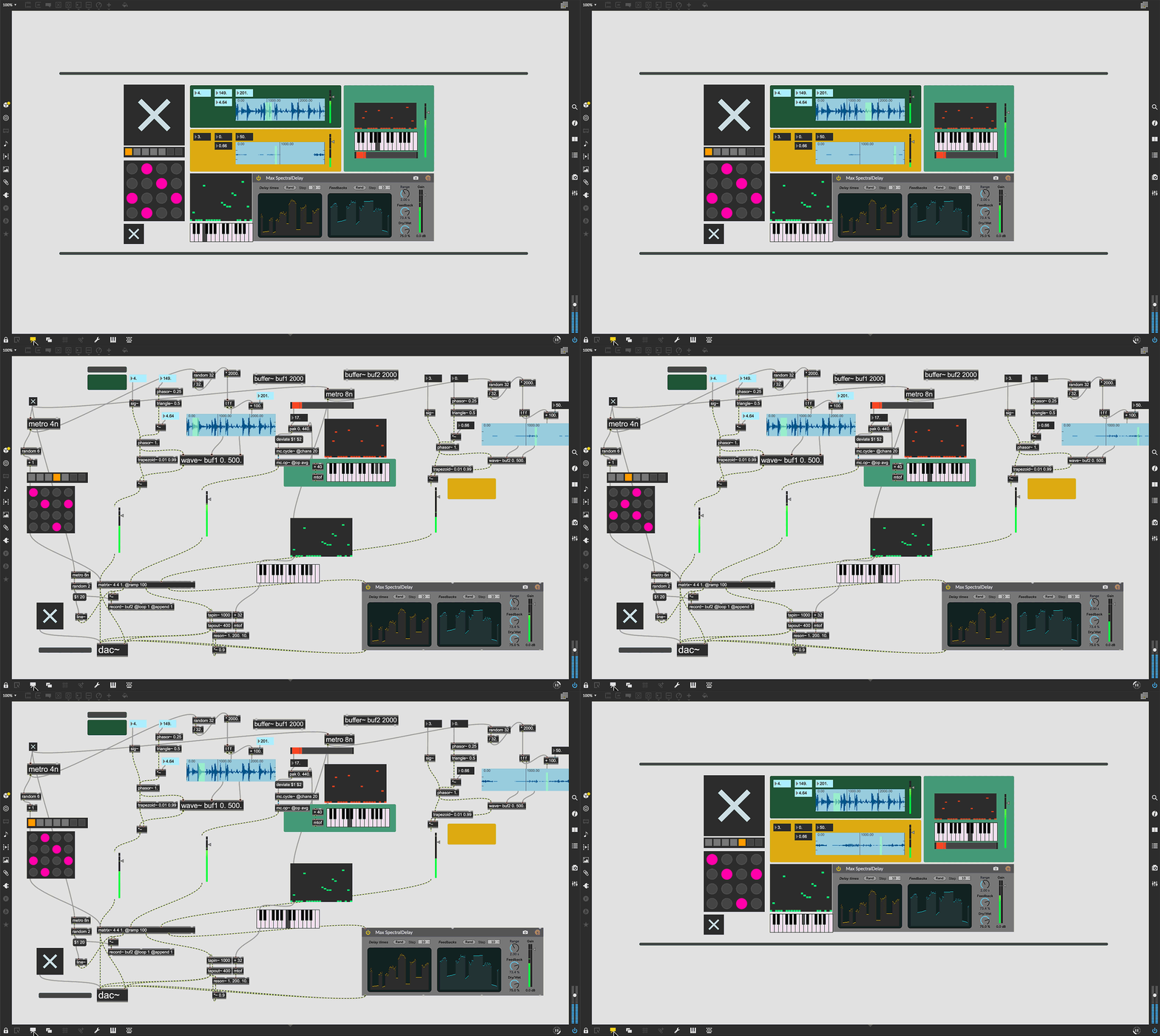
A Playground for Invention
Max is an infinitely flexible space to create your own interactive software.
Connect Ideas Together to Create
- Each object does something. Max has objects that generate sound waves, represent hardware, or provide a UI for interaction.
- Patchcords connect one object to another. This connection lets objects share their output with connected objects.
- Connect UI objects like dials and sliders to provide control values or display results. Modulate, map and scale data to get just the right results.
Create Software Built Around You, In the Moment
- Drag in your own audio clips and start manipulating them and connecting effects
- Map your patcher with MIDI controllers as you go to start playing with your creation while you work
Expanded Ideas
Max patching starts on a blank canvas, free of any structure. This makes it natural to build and explore unique ideas that would be too complex to make elsewhere. The Max patcher automatically expands to fit your work as it grows, no matter how much space you take up.
Explore Sound without Limits
- Design a custom synthesizer with as many oscillators and effects as you wish.
- Manipulate samples in every way, including timestretch and pitch shifting.
- Build up more layered sounds using MC objects to patch multichannel audio.
Make Sound with a Gesture
In Max, you can build classic synths from scratch or get lost hacking together unusual sounds.
Make Visual Music
Max includes full-featured, expandable video and graphics tools with Jitter. Jitter is optimized for realtime audiovisual work, and is easy to combine with audio, sequencing, and modulation like everything else in Max.
Jitter is an open ended toolkit for patching video and graphics in Max. With Jitter you can extend your patches with added video, 3D graphics, effects, and more.
Make Sound Visible
Artists use Jitter to create genre-defying interactive visuals combined with the audio and automation tools in Max. Jitter lets you break apart videos, animate abstract forms, and explore the relationship between sound and visuals.
Jitter also includes objects that capture audio and translate it into visual data, or convert video information into audio signals, or combine these elements however you like.
Build Your Own Visual Instrument
With Jitter you can approach video and graphics like building a musical instrument. Jitter objects can be controlled with Max messages and integrated with audio data from Max, so you can use the same MIDI hardware mapping, envelope following, and modulation approaches in Max to control your visuals.
Activation Codes
Administratoren können das Online-Lizenzverwaltungsportal nutzen, um Aktivierungscodes zu generieren, die dann an Studenten verteilt werden können, um Benutzerkonten entweder dauerhaft oder vorübergehend zu autorisieren. Studierende können Max nutzen, indem sie sich sowohl auf ihren persönlichen als auch auf ihren Laborrechnern in ihr Konto einloggen.
KeyFile
Ein Key File ist eine maschinenspezifische Autorisierung, die über das Online-Lizenzverwaltungsportal erstellt wird. Nach der Installation auf einem Rechner wird Max für jeden Benutzer autorisiert, was es zu einer idealen Option für den Einsatz in Computerlaboren macht.
KeyServer
KeyServer ist eine serverbasierte Lösung eines Drittanbieters, die eine On-Demand-Lizenzierung von Max für eine beliebige Anzahl von Rechnern über einen Server in Ihrem lokalen Netzwerk ermöglicht. Wenden Sie sich an den KeyServer-Entwickler Sassafras Software, um weitere Informationen über Serverpreise und -funktionen zu erhalten.
iLok
Max ist mit dem branchenüblichen iLok Hardware-Kopierschutzgerät von PACE Anti-Piracy kompatibel. Sobald eine Lizenz auf die Hardware übertragen wurde, kann sie an den USB-Anschluss eines beliebigen Computers angeschlossen werden, um Max ohne Internetverbindung zu autorisieren.
Für die Nutzung mit einem iLok Dongle (separat erhältlich) finden Sie häufig gestellte Fragen unter:
https://support.cycling74.com/hc/en-us/articles/10508979910035-iLok-FAQ-Institutions
Weitere Informationen finden hier:
https://support.cycling74.com/hc/en-us/articles/10533750684691-Authorization-Options-for-Institutions
Tools für die Zukunft
Bei der Vorbereitung von Schülern auf die Zukunft geht es nicht nur darum, Software und Programmiersprachen zu lernen, sondern auch zu verstehen, was Software tut. Max bereitet die Schüler darauf vor, kritisch über Systeme und die Integration von neuen und alten Technologien nachzudenken.
Integrierte Funktionen
Max wird mit über 1.000 Objekten geliefert, die die Möglichkeit bieten, Sound zu produzieren und zu verarbeiten, Sequenzierung und Automatisierung zu erforschen, UI/UX zu entwickeln, Grafiken zu erzeugen, Daten zu manipulieren und mit Hardware zu kommunizieren.
Ideen in der Praxis
Max wird seit seiner Entwicklung in den 1980er Jahren an Universitäten und Forschungseinrichtungen zur Erforschung neuer Ideen eingesetzt. Das Max SDK und die Code-Integrationsfunktionen - zusammen mit den integrierten Echtzeitwerkzeugen - machen Max zu einer großartigen Umgebung für das Testen und Prototyping neuer Technologien.
Die neue Version von Max ist direkter, transparenter und voller inspirierender neuer Funktionen. Max 9 bringt eine neue Sammlung von Audioobjekten, die auf Abletons ABL-Bibliothek basieren, das größte Jitter-Update seit Jahren, Verbesserungen der Benutzeroberfläche, neu erfundene Codierungs-Workflows - und vieles mehr.
The ABL Objects
Ableton Sound for Max
We're excited to offer a suite of Max objects created with Ableton's ABL library for DSP. These objects offer a patchable interface to the internal workings of some of Ableton Live Suite's most popular devices. Whether you're looking to explore some wild distortion effects (abl.device.roar~) or dreamy reverbs (abl.dsp.shimmer~), the ABL library has got you covered.
Patching with Code
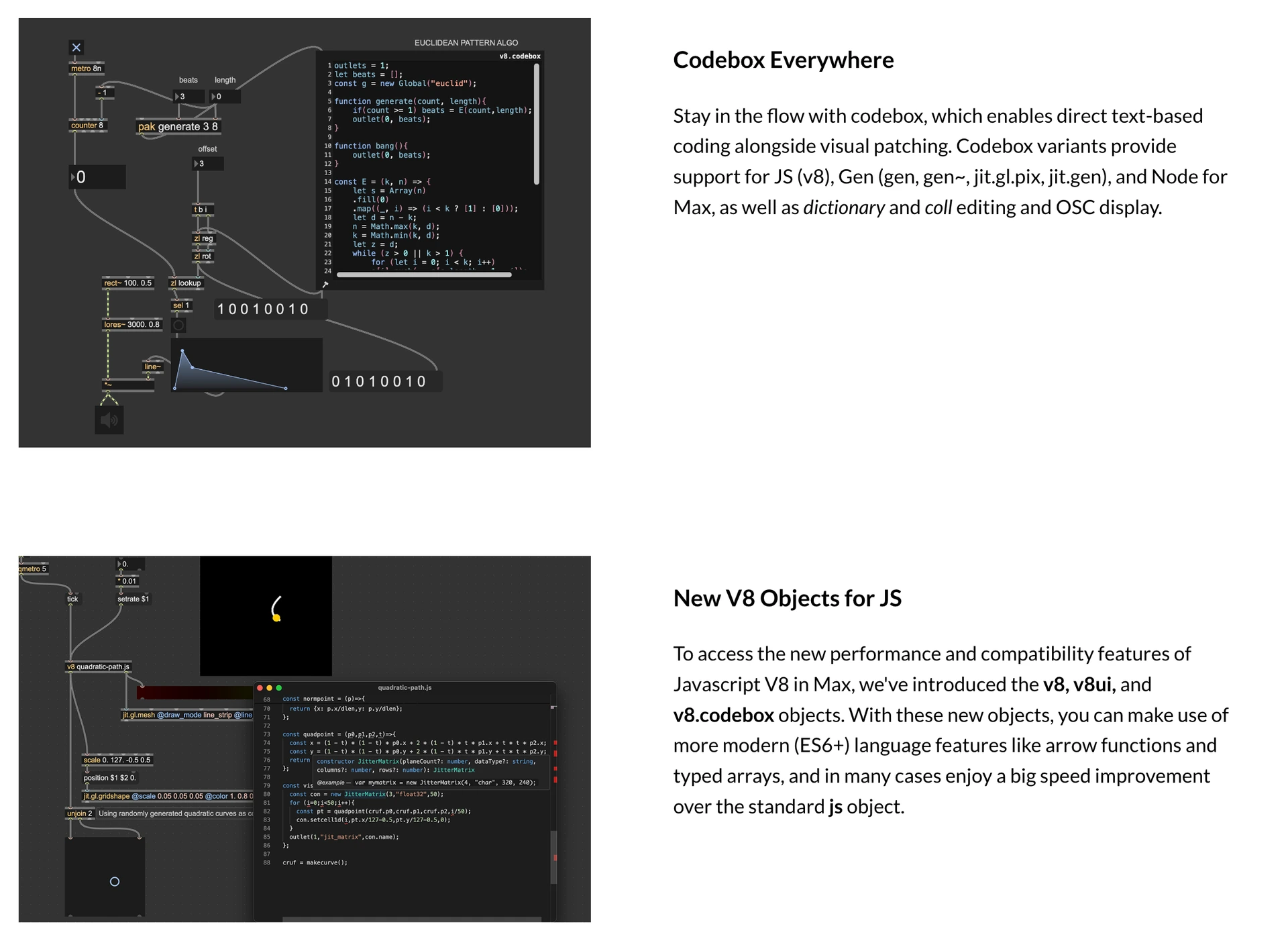
Patching in Max is even more powerful when you integrate text-based code. Max 9 presents a new vision of code integration with patching - including a fully reinvented, fast and modern Javascript V8 engine. Even if you've never tried integrating Javascript and Max, you'll definitely want to check out what is possible.
Introducing Jitter Geometry
In Max 9, we're going beyond the Jitter Matrix with a new way to represent 3D geometry data and several new realtime geometry objects to manipulate and fine-tune your 3D graphics in Jitter.
Enhanced Visuals with Jitter FX
The new jit.fx library of image effect objects makes creating interactive visual effects in Jitter more streamlined than ever. Enjoy a full range of realtime, shader-based processes with an easy-to-use Max interface.
Included Effects:
- Color adjustments and corrections
- Stylized image manipulations
- Distortions and Blurs
- Blending and Compositing
- Time delay and temporal displacement
New in Jitter
In addition to the exciting new jit.geom objects and jit.fx, Max 9 brings exciting new additions that enrich Jitter in both practical and inspiring ways.
In-Window UI Objects
Use jit.ui objects to build kiosk experiences or interact with your patch without leaving fullscreen mode.
3D Widgets
Directly edit your 3D scenes in Jitter with updated, in-window UI widgets.
Scene Rendering
Max 9 introduces ReSTIR-based global illumination, order-independent transparency, depth-sorting, and new scene FX passes to add texture and grain.
Jitter in Production
Switch Jitter into post-production and animation mode with new "fixed_delta" attribute for jit.world, jit.mo, and all animation-driven objects in Jitter. New objects jit.bang and jit.frame also help in syncronizing your processes with rendering.
Remote Control
Parameter Connect
Easily connect UI objects in Max to supported object attributes without any patchcords. This feature is currently supported by all ABL, jit.fx, and Gen objects, as well as jit.gl.slab. Javascript V8 object support can be enabled by using the new JS attribute API.
OSC Integration
A new global preference allows you to set application-wide OSC address and port settings, and all parameter-enabled objects in your patch are automatically available to OSC messages. The param.osc and osc.codebox objects let you inspect OSC state and communications.
Improving Your Patching Life
Thoughtful improvements to the Max environment that will enhance the way you patch, play, and explore.
List View
Explore the objects in your patch with a list-based interface. Rapidly filter, search, and edit objects, and watch the numbers change.
Syntax Coloring
Inspired by our favorite code editors, Max syntax coloring makes it much more comfortable to read Max patches.
Global Record Button
Max moments are often fleeting, but now you can capture any audio from Max, in the moment, with the new Global Record Button in the Max Toolbar.
Preset Mixing
Connect a nodes object to preset to easily create an interface that lets you mix and interpolate presets across a 2D space.
Command Your Patcher with REPL
The familiar Max Window has a new input field that turns it into a command-line interface to your patch. This input allows you to send text messages to named objects in your patch, send messages to the application itself, execute Javascript, or query the documentation.
New Tools for Learning
New Max 9 features for self-learners, teachers, and students alike
Illustration Mode
Visualize your patch running in slow motion to gain insight into how it's actually working. Illustration Mode is useful for both learning and debugging.
Examples and Tutorials Online
Visit our new online documentation and learning site to find updated Max Tutorials, Documentation, and Examples.
Even More Improvements
- Max 9 also brings many smaller features and improvements that will likely have a big impact on your daily patching life.
- Object Macros enable the use of js/v8, jit.gl.slab, and other generic objects with specific source code files as named objects
- New loudness~ object based on EBU R 128
- Visual updates to waveform~ and function
- New hid object supports more robust interactions with HID hardware than hi
- Improved media and file browsing in left toolbar
- Access jit.gl.slab params as object attributes.
- Clue display on bottom toolbar provides links to relevant documentation
- CPU/FPS display on right toolbar
- Multichannel meters on toolbar volume control.
- Reorganized and easier to navigate Preferences window
- Patching Margin provides extra space while editing at the edges of a patcher window
- Capture your content with a new patcher window aspect ratio feature
RNBO, eine von Max inspirierte Patching-Umgebung für den Export von Code für Websites, Plug-ins, eingebettete Hardware oder beliebige C++-basierte Anwendungen.
RNBO is a new patching environment built to export software with the sound of Max.
Create web experiences, hardware music devices, audio plugins, and new Max objects all from the same patch. And when that's not enough, RNBO generates source code that you can use however you want.